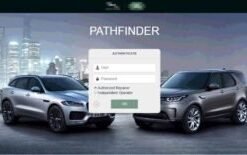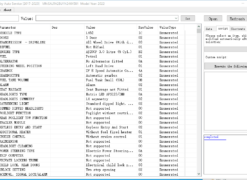
The L663 Defender is one of the most capable and technologically advanced off-road vehicles ever produced by Jaguar Land Rover. Yet, like many modern vehicles, a surprising number of its features are disabled from the factory. These are not missing components; they are software-locked capabilities that exist within the hardware but remain dormant until activated through the correct diagnostic procedures. This guide presents the complete list of hidden features available for the L663 Defender, explains what each one does, and details how to activate it safely.
Safety First: Before You Begin
Before attempting any feature activation on your Defender, it is essential to understand the risks and take appropriate precautions. Modifying your vehicle's configuration using JLR Pathfinder is safe when done correctly, but careless changes can cause unexpected behaviour or trigger warning lights.
Essential Precautions
- Back up your CCF: Always create a backup of your original Car Configuration File before making any changes. This allows you to revert to the factory settings if something goes wrong.
- Use a stable battery charger: Maintain 13.5V throughout the process. Voltage fluctuations can corrupt module data.
- Work in a ventilated area: Some activations require the ignition to remain on for extended periods.
- Close all doors and the boot: Certain modules will not accept programming commands if doors are open.
- Document your changes: Keep a written log of every setting you modify. This makes troubleshooting far easier.
If you are not confident using JLR diagnostic software, our remote activation service allows an experienced technician to activate features for you over a secure internet connection. This eliminates the risk of user error entirely.
The Complete Feature List
The following table lists every commonly requested hidden feature for the L663 Defender, along with a description, activation method, and important notes. Not all features are available on all trim levels; some require specific hardware that may not be fitted to base models.
| Feature | Description | How to Activate | Notes |
|---|---|---|---|
| Comfort Access (Keyless Entry) | Allows the vehicle to unlock when the key is in proximity, without pressing the key fob. | Enable "Passive Entry" in the BCM configuration via CCF Editor or Pathfinder. | Requires keyless door handles. May drain the battery if the key is stored too close to the vehicle. |
| Auto-Lock on Drive-Away | Automatically locks all doors when the vehicle exceeds a predefined speed. | Toggle "Auto Lock" in the BCM body control module settings. | Configurable speed threshold, typically 5 or 10 mph. Can be disabled via the touchscreen after activation. |
| Auto-Unlock on Ignition Off | Unlocks all doors automatically when the ignition is switched off. | Enable "Auto Unlock" in the BCM configuration. | Convenient for passenger exits. Some owners prefer to disable this for security in certain areas. |
| Rear-View Camera | Activates the reversing camera on base models that have the hardware fitted but not enabled. | Enable "Rear Camera" in the IPC (instrument panel cluster) and BCM configuration. | Requires the camera hardware to be physically installed. Check the tailgate for a camera lens. |
| Ambient Lighting Expansion | Unlocks additional ambient lighting colours and zones beyond the factory default. | Modify the ambient lighting configuration in the CCF using CCF Editor. | Requires the premium ambient lighting pack. Base models may not have sufficient LED zones. |
| Driver Memory Seat | Enables memory presets for the driver's seat and mirror positions. | Enable "Driver Memory" in the DSM (driver seat module) and CCF. | Requires memory seat motors and control modules. Typically available on HSE and above. |
| Passenger Memory Seat | Enables memory presets for the front passenger seat. | Enable "Passenger Memory" in the PSM (passenger seat module) and CCF. | Rarer than driver memory. Usually only found on First Edition and top-spec models. |
| Heated Steering Wheel | Activates the heated steering wheel function. | Enable "Heated Steering Wheel" in the CCF and BCM. | Requires the heated wheel hardware. The button may not appear on the touchscreen until enabled. |
| Soft Close Doors | Enables the soft-close door mechanism, where the door pulls itself shut gently. | Enable "Soft Close" in the door module configuration via CCF Editor. | Requires soft-close actuators on the doors. Expensive to retrofit if not fitted. |
| Surround Camera System (360) | Activates the 360-degree surround camera view on vehicles with the camera hardware. | Enable "Surround Camera" in the CCF and image processing module. | Requires all four cameras (front, rear, and two wing mirrors). Not available on base models. |
| Wireless Phone Charging | Activates the Qi wireless charging pad in the centre console. | Enable "Wireless Charging" in the CCF. | Requires the charging pad hardware. Check for a rubberised pad in the centre console bin. |
| Apple CarPlay / Android Auto | Activates smartphone mirroring if the hardware supports it. | Enable "Smartphone Interface" in the infotainment module via Pathfinder. | Some early models require a hardware module upgrade. Check with your dealer if the option is greyed out. |
| Trailering / Tow Bar Module | Enables the trailer stability control and tow bar detection. | Enable "Trailer" in the CCF and programme the tow bar module via Pathfinder. | Requires a physical tow bar control module and wiring harness. Programming must be done online. |
| Alarm Beep on Lock/Unlock | Audible confirmation chirp when the vehicle is locked or unlocked. | Enable "Alarm Sound" in the BCM configuration. | Some markets disable this by default to comply with noise regulations. Check local laws. |
| Mirror Dip on Reverse | Passenger wing mirror tilts down to show the kerb when reversing. | Enable "Mirror Dip" in the door module and CCF. | Can be toggled by the driver. Useful for parking but may be distracting on narrow trails. |
| Lane Keep Assist | Activates the lane-keeping assistance system if the hardware is present. | Enable "Lane Keep Assist" in the ADAS module and CCF. | Requires the front-facing camera and radar sensor. Calibration may be required after activation. |
| Traffic Sign Recognition | Displays recognised speed limits and traffic signs in the instrument cluster. | Enable "Traffic Sign Recognition" in the ADAS module and CCF. | Requires the front-facing camera. Performance varies by country and sign design. |
| Auto High Beam Assist | Automatically switches between high and low beam based on oncoming traffic. | Enable "Auto High Beam" in the lighting module and CCF. | Requires LED headlights with the matrix module. Halogen headlights do not support this feature. |
| Approach Lighting (Puddle Lights) | Illuminates the ground around the vehicle when the key is detected nearby. | Enable "Approach Lighting" in the BCM and CCF. | Requires puddle lamps in the door mirrors or under the doors. Most HSE models have these fitted. |
| Window Close from Key Fob | Closes all windows and the sunroof by holding the lock button on the key fob. | Enable "Global Close" in the window module and CCF. | Standard in some markets but disabled in others. Useful for hot weather but ensure no limbs are in the way. |
Activation Process
Activating hidden features on the L663 Defender requires a methodical approach. The exact steps depend on the tool you are using, but the general process is consistent across JLR Pathfinder, JLR SDD, and the CCF-PRO.
Using CCF Editor
The CCF Editor is the most direct tool for configuration changes. It allows you to read the vehicle's existing configuration file, modify individual settings, and write the changes back to the vehicle.
- Connect your DA-DoIP VCI to the vehicle and your laptop.
- Launch the CCF Editor and read the current configuration from the vehicle.
- Save a backup copy of the original CCF to your laptop with a clear filename including the date and VIN.
- Navigate to the relevant module section (e.g., Body, Lighting, Seats).
- Toggle the desired setting from "Not Fitted" to "Fitted" or from "Disabled" to "Enabled."
- Write the modified CCF back to the vehicle.
- Cycle the ignition off and wait for 60 seconds to allow the modules to reset.
- Verify the feature is active by testing it physically (e.g., walk up to the vehicle with the key to test comfort access).
Using Pathfinder
Pathfinder is the more modern tool and is required for certain features that involve online programming or module flashing. For example, enabling Apple CarPlay or the surround camera system often requires downloading a software patch from TOPIX Cloud.
- Connect your DoIP VCI and launch Pathfinder.
- Start a new diagnostic session and allow the vehicle to be identified automatically.
- Select the module you wish to configure (e.g., Infotainment System, Body Control Module).
- Choose "Service Functions" or "Programming" from the module menu.
- Follow the guided prompts to enable or disable the feature.
- If online programming is required, ensure your TOPIX Cloud subscription is active and your internet connection is stable.
- Complete any post-programming calibrations or initialisation routines.
Using SDD
SDD is the older JLR diagnostic tool and is less commonly used for the L663 Defender, which prefers Pathfinder. However, if you only have SDD, some basic configuration changes are still possible. Features requiring online programming or newer module variants will not be accessible via SDD.
Warranty Considerations
One of the most common questions we receive is whether activating hidden features will void the vehicle warranty. The answer is nuanced and depends on the specific feature and the nature of any subsequent claim.
In the United Kingdom, the Consumer Rights Act 2015 and the Block Exemption Regulations provide certain protections. A manufacturer cannot void your entire warranty simply because you have modified your vehicle's configuration. However, if a modification directly causes a component failure, the manufacturer may legitimately refuse to cover that specific repair under warranty.
For example, if you enable comfort access and the keyless entry system subsequently fails, JLR may argue that the activation process contributed to the failure. Conversely, if your engine develops a fault entirely unrelated to the infotainment system, they cannot refuse an engine warranty claim because you activated Apple CarPlay.
Our advice is to keep a detailed record of all changes made, including the original CCF backup. If you visit a dealer for service, you may choose to revert to the factory configuration beforehand. This is straightforward with the CCF Editor and takes only a few minutes.
We also recommend using genuine JLR diagnostic tools rather than third-party or "cracked" software. Dealer service departments can sometimes detect when non-genuine tools have been used, and this may raise questions during warranty discussions. All JLR Kit 2023 are genuine OEM-licensed software.
FAQs
Are hidden feature activations safe for my Defender?
When performed correctly using genuine JLR diagnostic tools, hidden feature activations are generally safe. However, any modification to your vehicle's software configuration carries a small risk. We recommend backing up your CCF before making changes and using a stable battery charger during the process.
Will activating hidden features void my warranty?
In most cases, activating features that are already present in the vehicle's hardware will not void your warranty. However, if a feature activation directly causes a component failure, JLR may refuse a warranty claim for that specific component. We recommend checking your warranty terms or speaking with your dealer before proceeding.
Do I need special tools to activate hidden features?
Yes. You need JLR diagnostic software such as Pathfinder or SDD, a compatible DoIP VCI interface, and access to the CCF Editor. Some features also require a TOPIX Cloud subscription for online programming. SX-CAN supplies all the necessary tools and offers remote activation services if you prefer expert assistance.
Can I reverse a feature activation if I don't like it?
Yes, provided you backed up your original CCF before making changes. Most activations can be reverted by restoring the original configuration file or by toggling the setting back to its factory value. Keep a copy of your original CCF in a safe location before attempting any modifications.
Which hidden features are most popular for the L663 Defender?
The most popular activations are comfort access (keyless entry), auto-lock on drive-away, rear-view camera activation for base models, and ambient lighting colour expansion. Driver memory seat activation is also highly requested on HSE models that have the hardware but not the software enabled.
Conclusion
The L663 Defender is an extraordinarily capable vehicle, but Jaguar Land Rover's tiered trim strategy leaves many desirable features locked behind software. With the right tools and knowledge, you can unlock these capabilities safely and cost-effectively, transforming the ownership experience without expensive hardware upgrades.
Whether you choose to tackle the activations yourself using our JLR Kit 2023 or prefer the convenience of our expert activation service, SX-CAN is here to help you get the most from your Defender. For model-specific advice, visit our Defender vehicle page or contact us directly.